











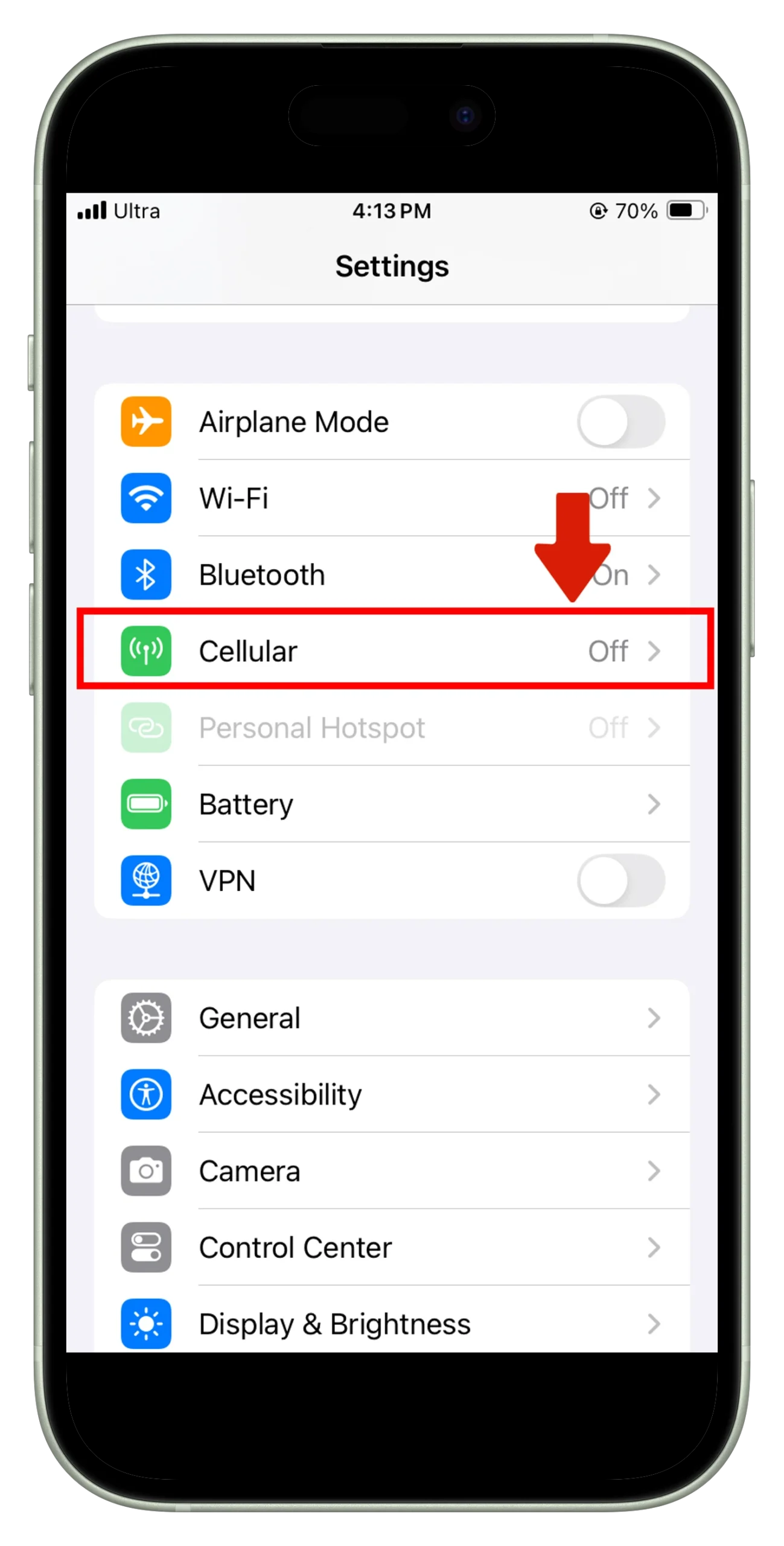
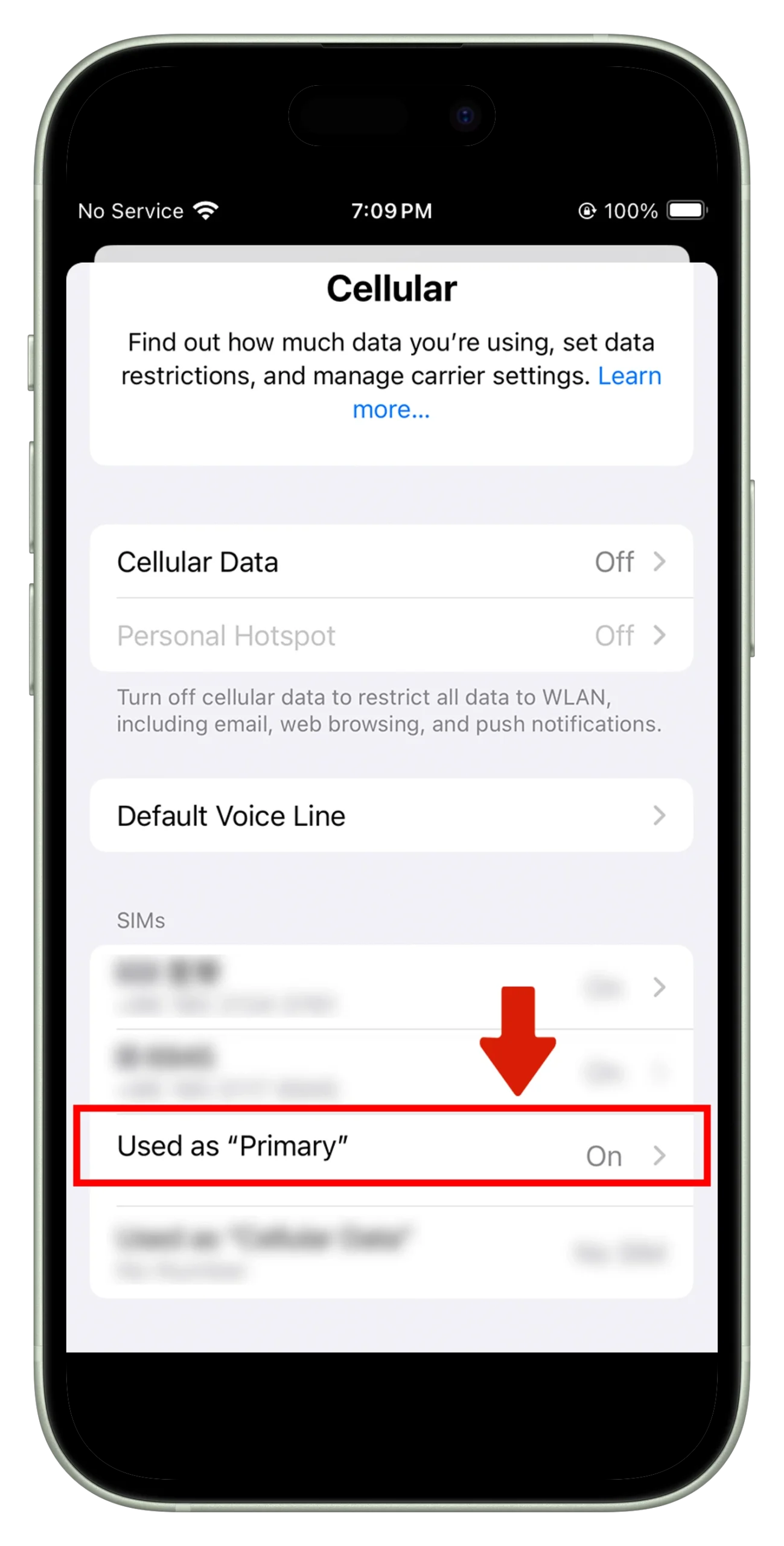
01.Open "Settings" and select "Cellular"
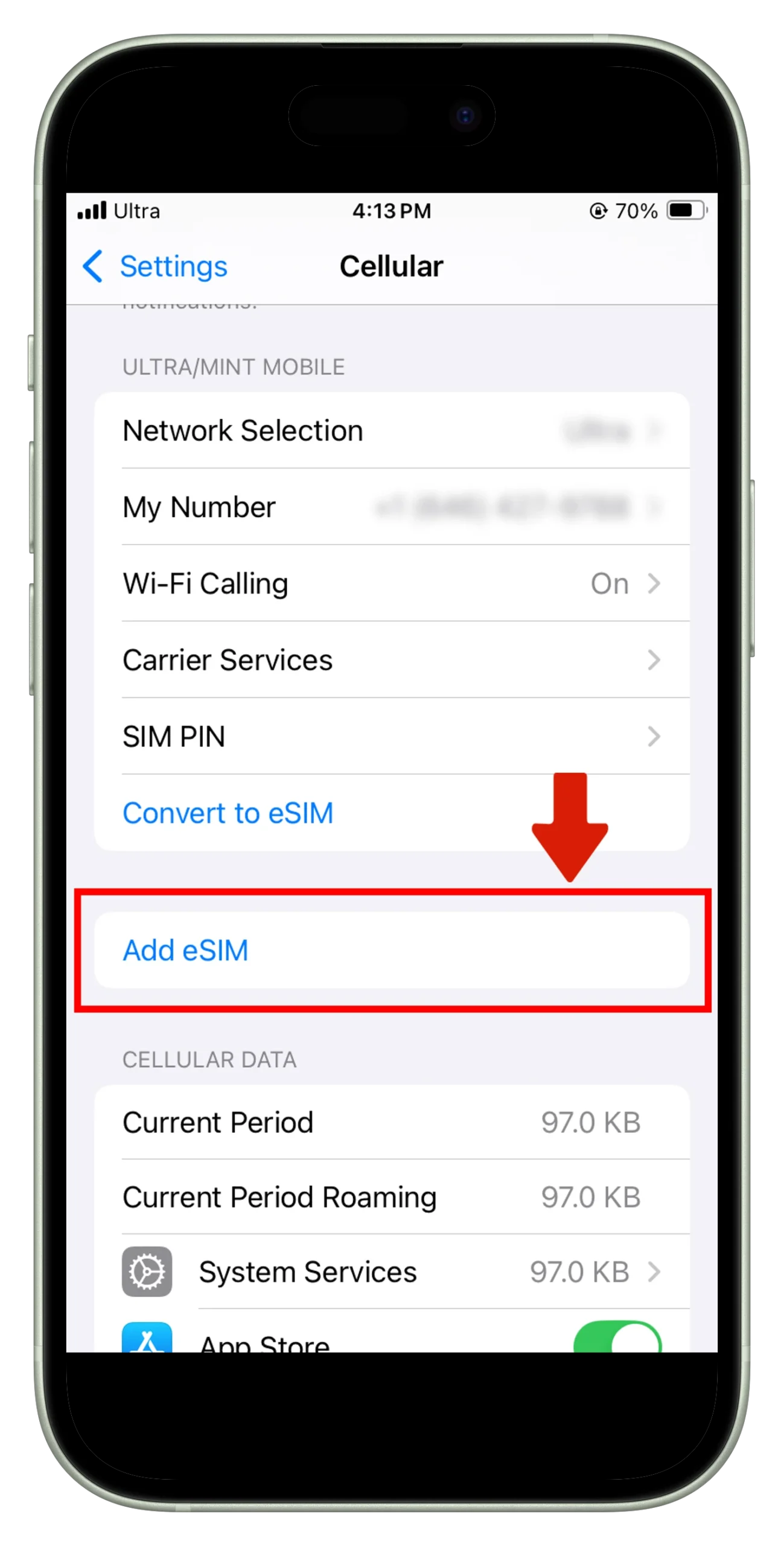
2: Click "Add eSIM"
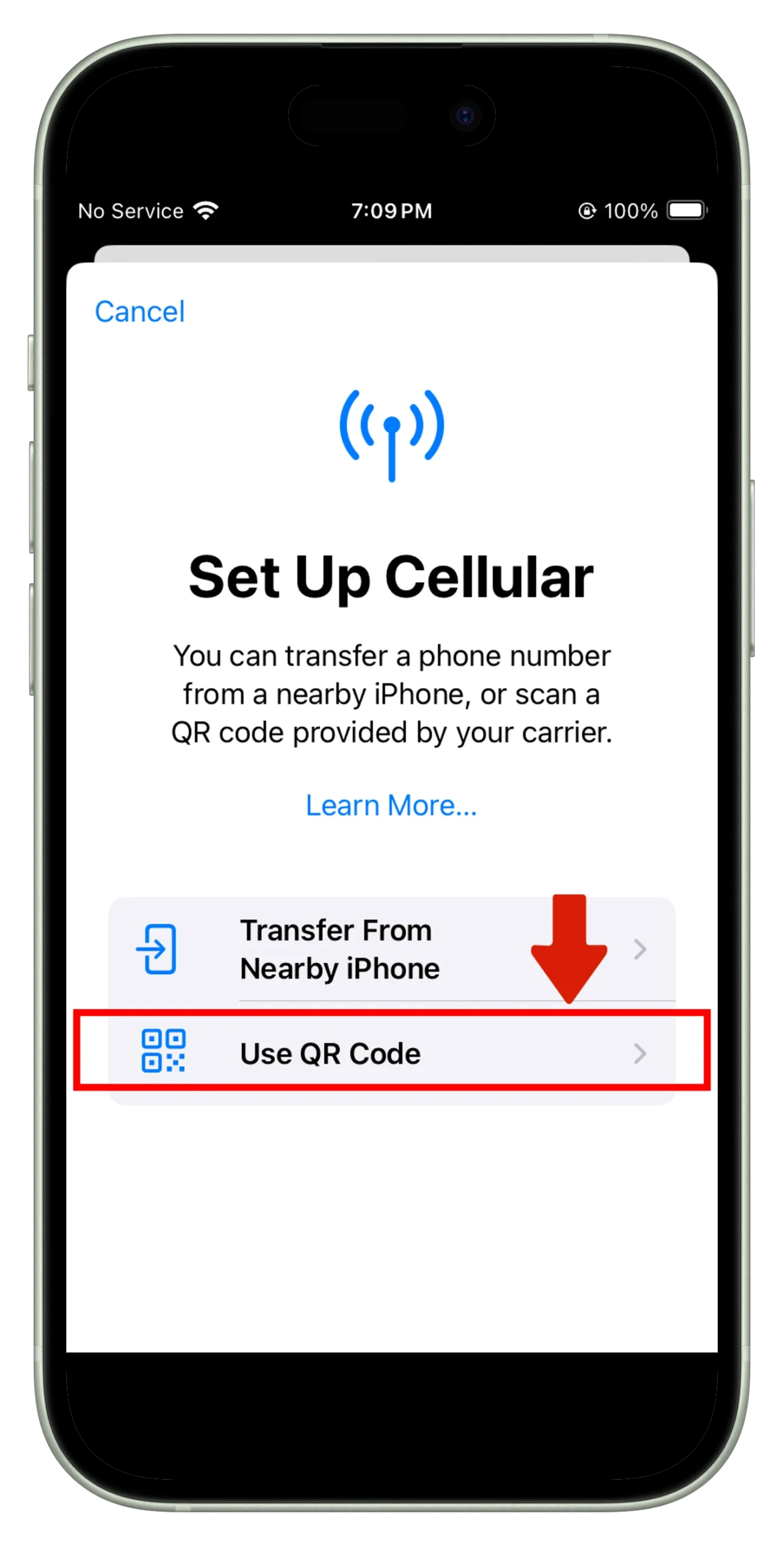
3: Click "Use QR Code" and scan the CR Code we sent to your email
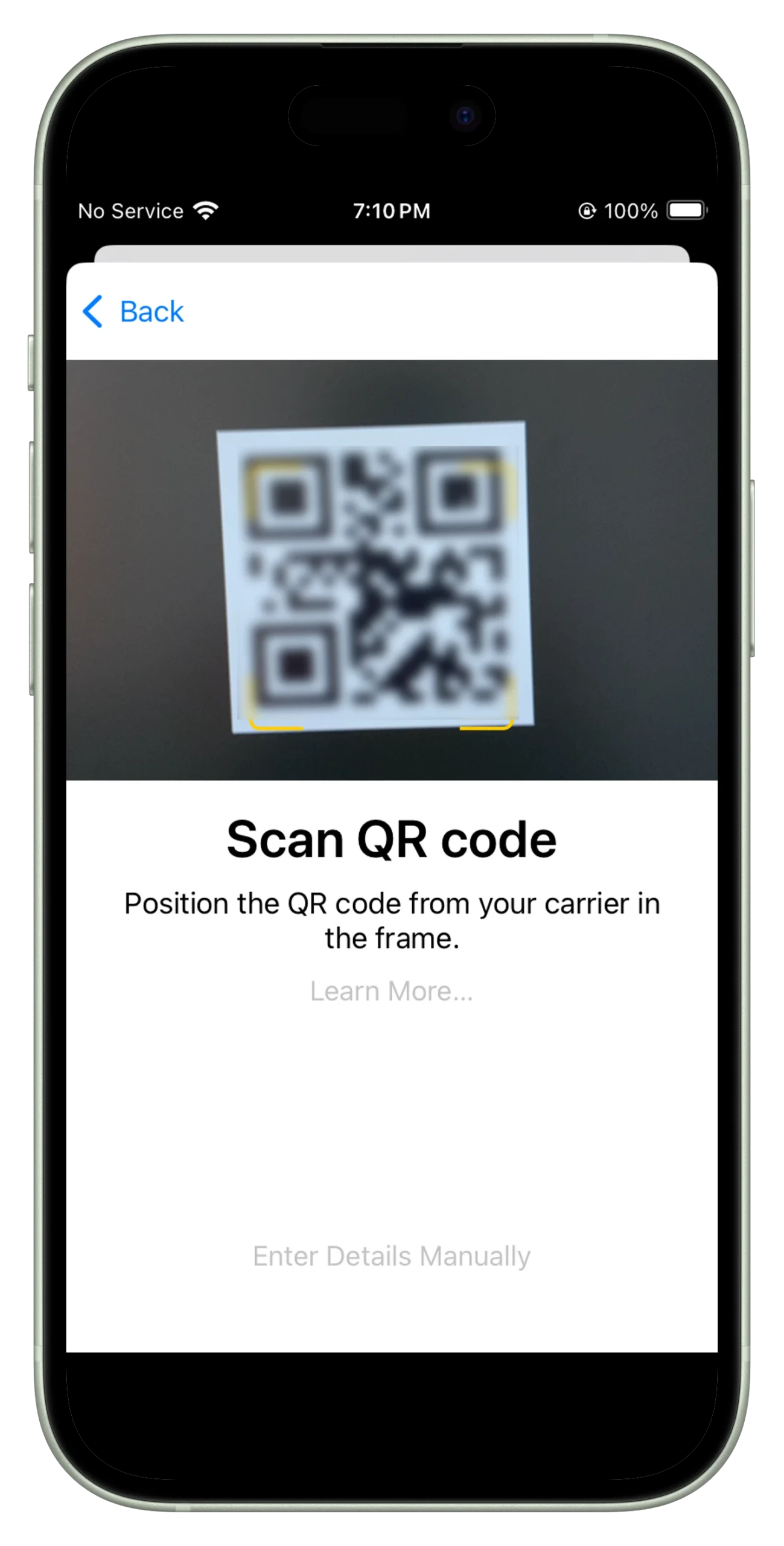
4: Select the eSIM you just installed. You can name the eSIM for easy use when you start your journey
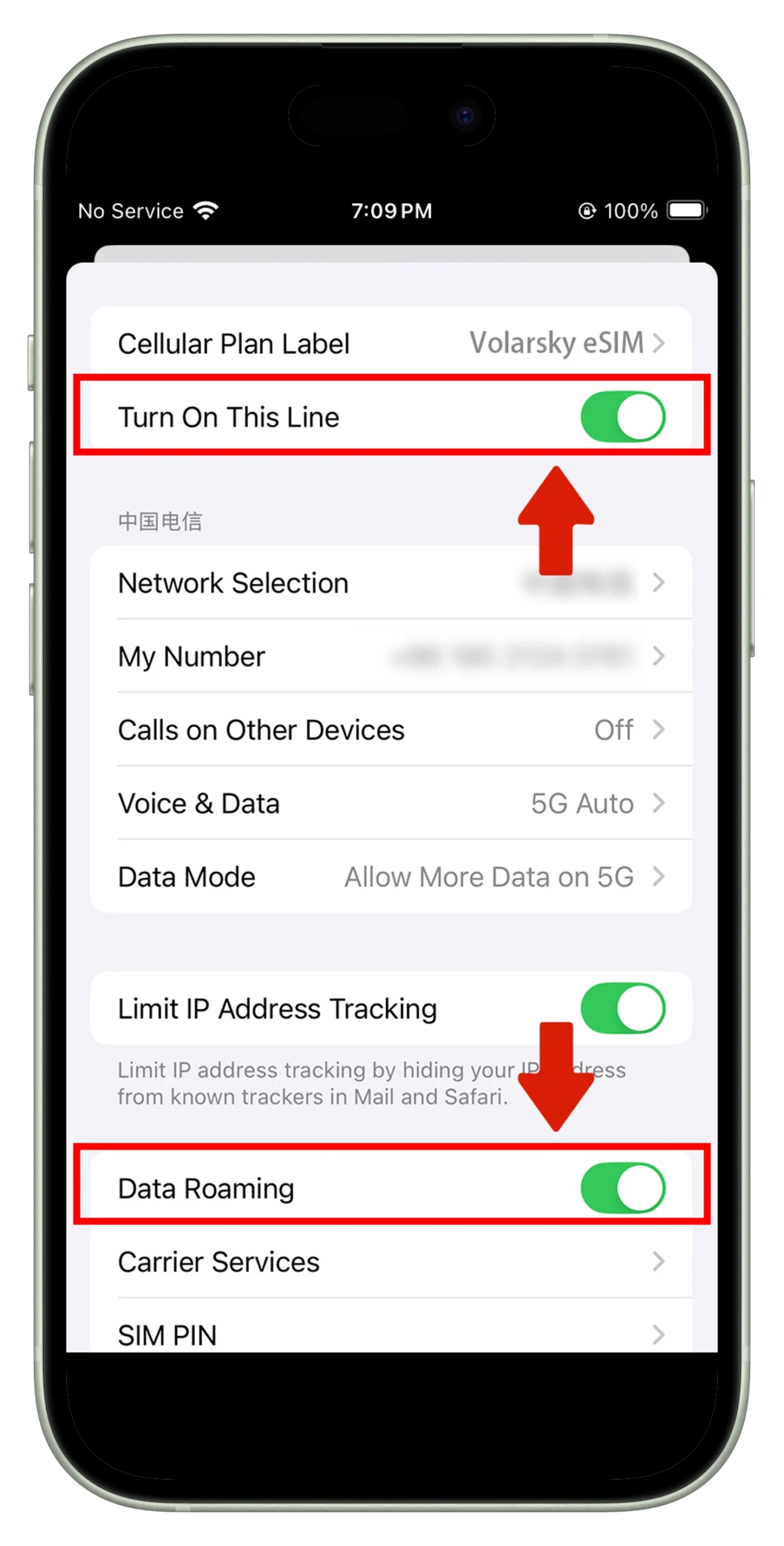
5: Turn on eSIM and turn on "Data Roaming" at the same time.
6: Now you can start your journey